The test platform that
actually renders your equations.
Create, distribute, and grade tests with full LaTeX and Markdown support. Built for educators who need beautiful math, chemistry, and physics expressions — not workarounds.
Everything you need to run exams
From question authoring to result analytics — a complete workflow for STEM assessments.
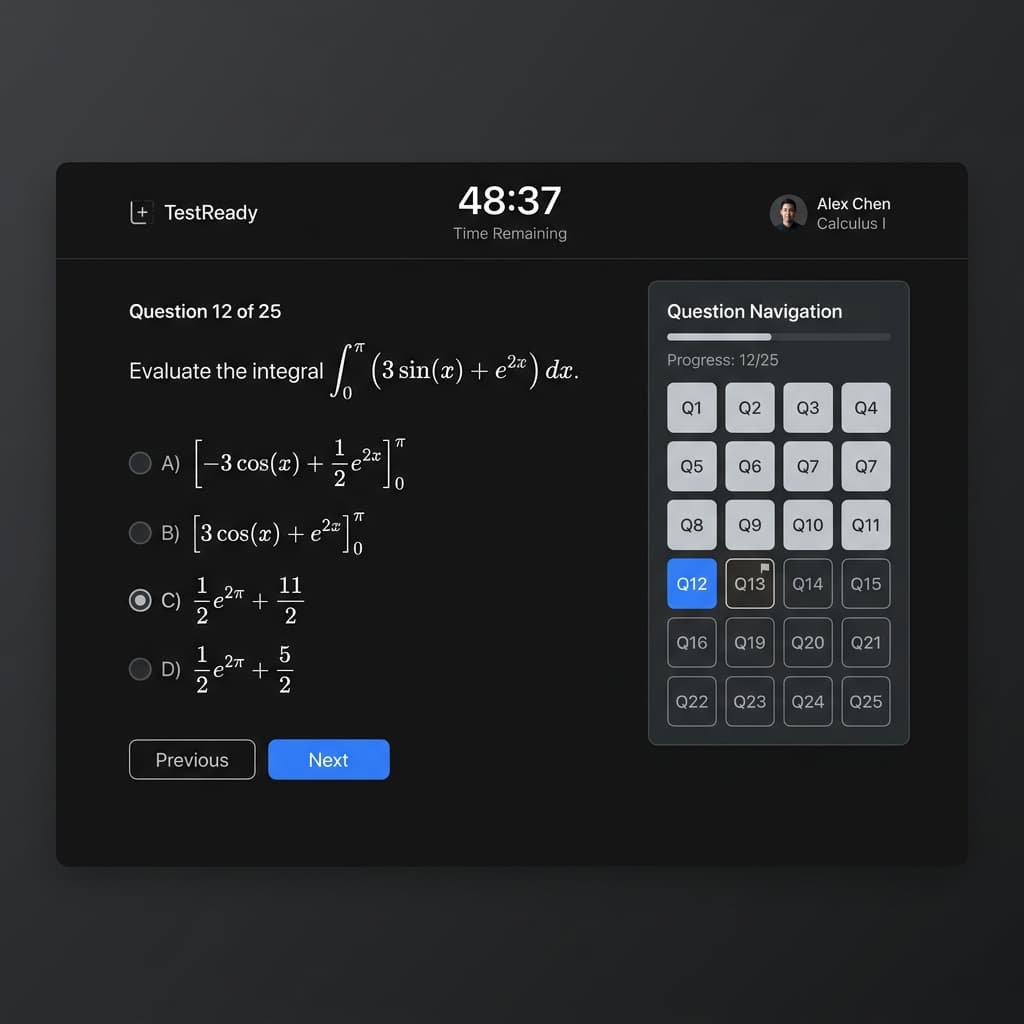
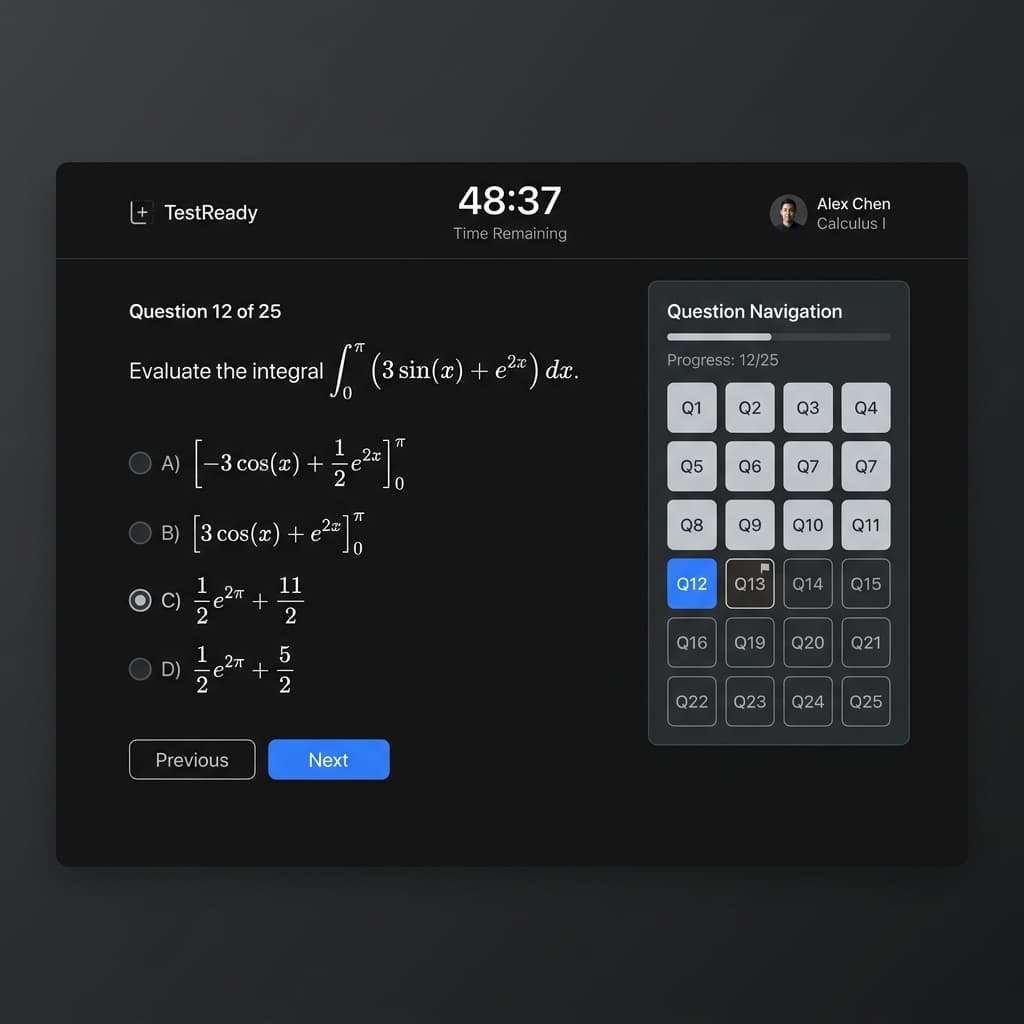
Focused test-taking experience
One question per page. Countdown timer. Section banners that update dynamically. A question navigation grid so students can jump to any question instantly. Auto-submit when time expires — no answers lost.
- Countdown timer with warning colors
- Question grid for instant navigation
- Dynamic section banners
- Auto-submit on timeout
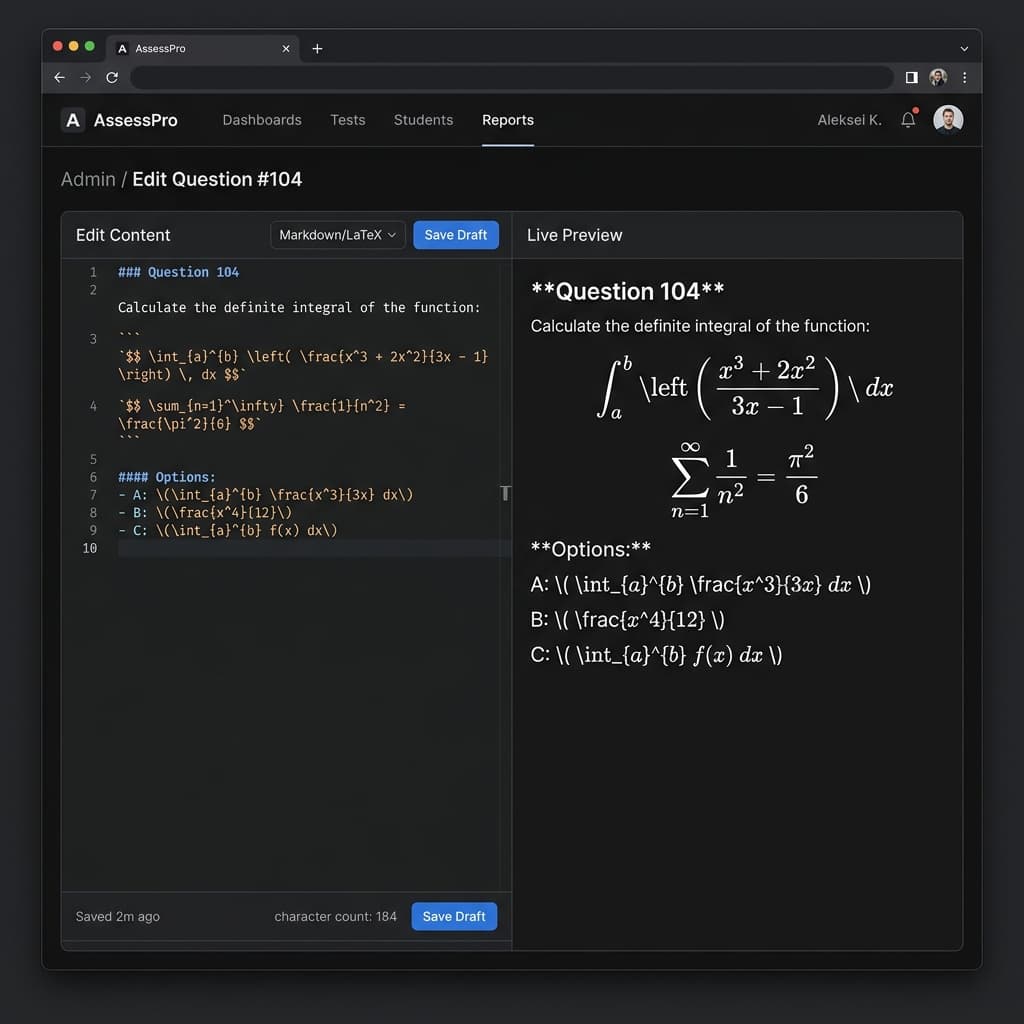
Author questions with live preview
Write questions in Markdown with LaTeX math expressions and see them render instantly in the side-by-side preview. Or import hundreds of questions at once via JSON bulk upload. Your choice.
- Split-pane editor with live KaTeX preview
- Bulk JSON import for rapid question creation
- Section management with drag ordering
- Supports math, chemistry, and physics notation
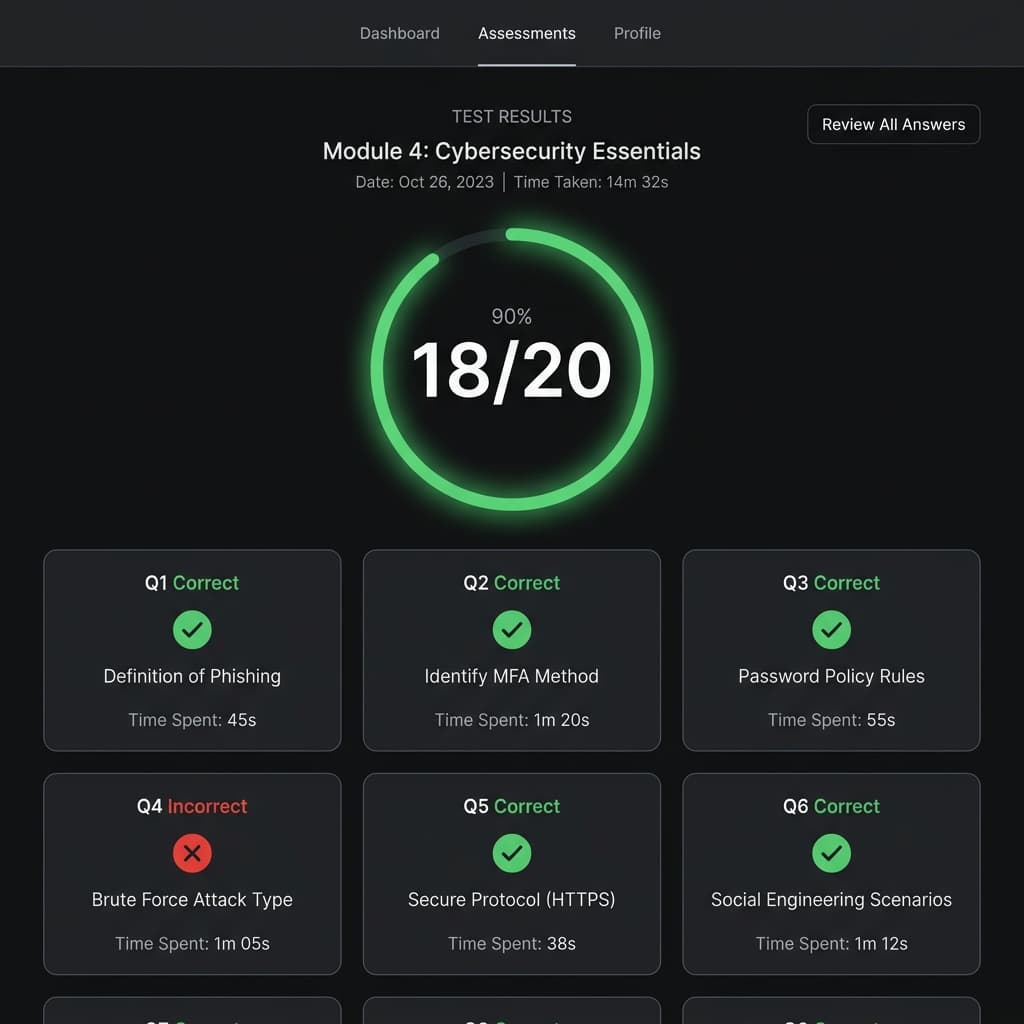
Detailed results & time analytics
After submission, students see exactly which questions they got right or wrong, the correct answers, and how much time they spent on each question. Identify weak areas at a glance.
- Score breakdown with pass/fail status
- Per-question time spent tracking
- Correct vs. selected answer comparison
- Full question review with rendered math
Up and running in 3 steps
Create your test
Sign up as an admin. Create a test, add sections, and write questions with the live Markdown editor — or bulk import from JSON.
Add your students
Enter student emails in the Allowed Users panel. They'll see your tests the moment they log in. Multiple admins can share the same students.
Publish & go
Hit publish. Students take the test with a timed, focused interface. Results with per-question analytics appear instantly after submission.
Ready to build better tests?
Join educators who use RMX to create professional STEM assessments with native math rendering.